Make a QR Code for Your Wedding Website
Wedibox gives you a wedding website and the QR code for it in one step. Guests scan to RSVP, upload photos and videos, leave voice messages, and find every detail of your day.
Get Started Free Choose a Template
Free to start · No app to install
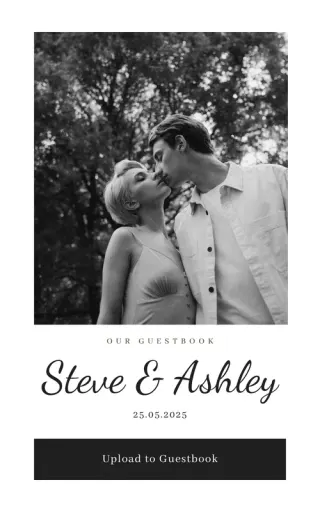
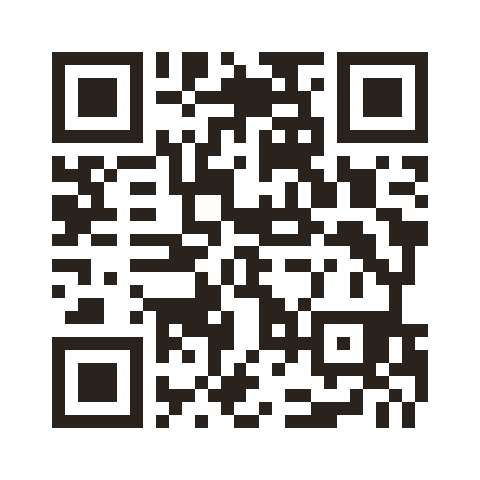
Guests scan to open your website
 wedibox.com/steve-and-ashley
What Can Guests Do With a Wedding Website QR Code?
Traditional wedding websites are digital brochures. Guests check the date, skim the schedule, and never return. Wedibox turns your website into something guests use all day.
-
Upload photos and videos as moments happen
Guests scan once and share from their phones all night. Everything lands in your private gallery in full quality.
-
RSVP with meal choices and plus one details
Responses arrive through your website and organize themselves. No cards to count, no texts to chase.
-
Leave voice recordings and written messages
Guests record a voicemail or write a note right on your website. You keep the voices, not just the signatures.
-
Find the seating chart, schedule, and venue details
One scan answers every question. Guests search their name, check the time, and get directions without asking you.
Your wedding QR code turns the website into the home for everything. You collect memories without asking twice.
Why Couples Are Done With Static Wedding Websites
The old approach creates more work, not less. You build a website, guests glance at it, and then you still end up:
- Chasing guest photos for weeks after the wedding
- Tracking RSVPs across cards, texts, and emails
- Sending the registry link again and again
- A guestbook that comes home half empty
- Hunting for promised videos across group chats
Wedibox ends the chasing. Everything flows to one place. Guests contribute because contributing takes seconds.
More Than a Pretty Wedding Website
Every Wedibox website ships with the tools that collect your day, not just announce it.
-
Photo and video sharing
You will spend half the day being photographed. Your friends are capturing the rest. Those photos matter. Make sure you see them.
- Unlimited uploads in full quality
- Guests scan and share from their phones
- Organize photos into albums by moment
-
One scan to enter
Your aunt will not type a URL. Your cousin will not download an app. Everyone knows how to point a camera at a QR code.
- Any smartphone camera works
- A short URL works for texts and emails
- Opens instantly with no signup
-
RSVP tracking
You do not need the spreadsheet with nine tabs. Responses arrive, organize themselves, and stay accurate.
- Custom questions, meal choices, and plus ones
- See who has responded in real time
- Export a clean list for your vendors
-
Audio guestbook
Your best friend mid toast. Your grandmother singing the blessing she learned from her mother. Keep the voices, not just the photos.
- No rental phone required
- Guests record straight from their phones
- Saved alongside your photos
-
Digital guestbook
Paper guestbooks collect two word wishes. Digital guestbooks collect stories, written at the table while the band plays your song.
- Every upload can include a caption
- Guests can write without uploading anything
- Messages stay private to the two of you
-
Live slideshow
Someone uploads a photo of the vows. Ten seconds later it is on the big screen. Suddenly everyone is scanning the code.
- Photos reach the screen in seconds
- Builds itself during the reception
- Runs on any TV, monitor, or projector
-
Templates that feel like you
Your website should look like you made choices, not like you filled in blanks.
- Layouts designed for weddings
- Colors and fonts that match your invitations
- Add your photos and your words
-
Every guest feels welcome
Family flies in from abroad. Friends speak three languages between them. Instructions should meet each guest in theirs.
- Guests see instructions in their language
- 15 languages supported
- Built for destination weddings
-
Private by default
Your wedding photos are not content. They are memories. They stay private until you decide otherwise.
- Add a password for extra security
- Remove anything from your dashboard
- Nothing is public unless you make it public
How to Make a QR Code for Your Wedding Website
The whole setup is faster than a cake tasting. Five steps and your website and its QR code are live.
-
Create your Wedibox page
Enter your names, date, and basic details. The setup wizard handles the rest.
-
Add your features
Turn on RSVP collection, photo uploads, the audio guestbook, and registry links. Skip what you do not need.
-
Customize the look
Upload photos, write your welcome message, and match the colors to your wedding palette.
-
Get your QR code
Wedibox creates your QR code and short link automatically. Download it, print it, share it.
-
Guests start contributing
RSVPs arrive. Photos upload. Voice messages record. Your website becomes a living collection of your day.
Your Wedding QR Code Works Before, During, and After
The same QR code handles every stage of your wedding:
-
Weeks before
Share your schedule, venue details, and hotel blocks so guests plan ahead.
-
As replies arrive
Collect RSVPs and watch responses track themselves.
-
Anytime
Share your registry or honeymoon fund without resending links.
-
On the day
Gather photos and videos from cocktail hour through the last dance.
-
After
Send a thank you note with the photo highlights attached.
Pricing That Respects Your Wedding Budget
Wedibox keeps pricing simple and wedding friendly. Pick what you need and pay once.
-
Try it for free
Build your wedding website and test the core features without entering a card. Your first 50 uploads are free.
-
Pay once, not monthly
Upgrade for $49 one time. No subscription. Unlimited uploads, full RSVP management, and the audio guestbook.
-
Transparent costs
The price you see is the price you pay. Guests never pay to upload. You never pay hidden fees to download.
A small ceremony or a multi day destination wedding, the plan fits either. See full pricing →
Built for Guests Who Do Not Like Reading Instructions
Wedding tech fails when guests cannot figure it out. Wedibox removes every barrier.
- Setup takes minutes. The interface assumes you have never built a website.
- Guests skip the app store. Everything runs in the browser.
- Works on iPhones, Androids, tablets, and desktops.
- Instructions appear in each guest’s language.
- Grandparent tested. If they can take a photo, they can upload it.
Easy for you to manage. Easy for guests to enjoy.
How Wedibox Compares to Traditional Wedding Websites
| Feature | Wedibox | The Knot | Zola | Minted |
|---|---|---|---|---|
| QR code for your website | Yes | No | No | No |
| Guest photo uploads | Yes | Limited | Limited | No |
| Audio guestbook | Yes | No | No | No |
| Live slideshow | Yes | No | No | No |
| Custom RSVP forms | Yes | Yes | Yes | Limited |
| Registry links | Yes | Yes | Yes | Yes |
Traditional builders publish your information. Wedibox also collects what your guests create.
Couples at 100,000+ Weddings Trust Wedibox
-
The QR code makes it easy for guests to access your site and upload their pictures! There are templates available to match your theme, or you can make your own. I recommend!
Prianna & Deepak J. · Google review
-
The interface is intuitive and the customization amazing. It was a great success. Easy to use and manage for everyone.
Christin Z. · Google review
-
This is such a great photo sharing website! It is a very reasonable cost and works so well! I love that the site was customizable and that templates were provided.
Sarah B. · Google review
Five Tips to Get More From Your Wedding Website
-
Print QR codes on cocktail napkins
Guests hold drinks. Guests hold phones. Put your code where both meet.
-
Make the website your single source
Add the schedule, addresses, maps, and hotel info to cut down on questions.
-
Turn on uploads before the weekend
Engagement party, shower, and welcome dinner photos stay together.
-
Add short prompts on the upload page
A prompt like "first selfie with us" or "best dance floor photo" lifts participation.
-
Update the homepage after the wedding
Replace the welcome with a thank you and point guests to the gallery.
Wedding Website Questions, Answered
Can I include RSVPs and registry links?
Yes. Wedibox handles RSVP collection, registry links, schedules, directions, and everything else you would put on a wedding website.
How long do you store photos?
Every plan includes a full year of storage after your wedding. Download everything at any time. The files are yours to keep.
Is my wedding website private?
Completely. Only guests with your QR code or link can access it. Add a password for extra privacy if you want.
Can I delete or hide photos guests upload?
Yes. You control everything from your dashboard. Remove anything you do not want displayed.
Is there a limit to how many photos guests can upload?
No. Guests can upload as many photos and videos as they want. The free plan covers your first 50 uploads.
Can guests use the site without scanning the QR code?
Yes. Every Wedibox page includes a short URL you can text, email, or add to your printed materials.
See Every Website Step in the Help Center
These guides walk through the exact screens, with real screenshots. You can check how it works before you sign up.
How to build your wedding website with Wedibox
Build your wedding website in one screen: turn on guest features, add sections, style your page, and watch the live preview update as you edit.
Read the guideHow to claim a custom wedding website link
Replace your auto-generated Wedibox link with wedibox.com/w/your-names: check availability, pick an ending, and reserve it.
Read the guideHow to publish your wedding website and share it
Your Wedibox page is live from day one. Here is how to check it, copy your link, download your QR code, and share it with guests.
Read the guideYour Wedding Website Should Do More Than Inform
A website that only lists times and addresses gets forgotten. Wedibox turns yours into the place guests keep coming back to, before, during, and after the day.
Free to start · No app to install · Pay once, not monthly
Still deciding? See how Wedibox works or talk to a real person.